RotaSmart
Feature: payroll reports

Payroll and labour reports built from the weekly rota

RotaSmart connects rota planning, sign-off, labour cost, and reporting so managers can review the week with fewer disconnected spreadsheets.

Payroll reports
Weekly operating rhythm
Plan the week from trading pressure to rota cover, labour cost, and staff changes before the schedule is shared.
Input
Start from the rota week
The workflow starts with the week managers are already running.
Action
Use payroll reports in context
The task sits beside shift, cost, or attendance context.
Review
Check exceptions
Managers see what needs attention before payroll or the next rota.
Improve
Feed the next week
Actuals and decisions help shape the next plan.
Built by a hospitality operatorForecast, rota, and wage percentage in one weekly viewBuilt for pubs, bars, cafes, food-led venues, and small groupsStaff requests and shift changes stay controlled

Before and after the payroll reports workflow

Before
Separate notes

Managers juggle spreadsheets, messages, cost checks, and manual follow-up.

During
Work in the week

RotaSmart keeps the action close to the rota week being managed.

After
Review cleanly

Exceptions, staff changes, and labour context are easier to find.

Next
Improve the next rota

The workflow feeds the next forecast, build, or sign-off decision.

What this replaces manually

Admin
Duplicate entry

The same shift facts do not need to be rebuilt in another place.

Review
Late exception checks

Managers can spot issues inside the weekly flow.

Control
Disconnected approvals

Approvals and changes stay tied to the rota instead of scattered across messages.
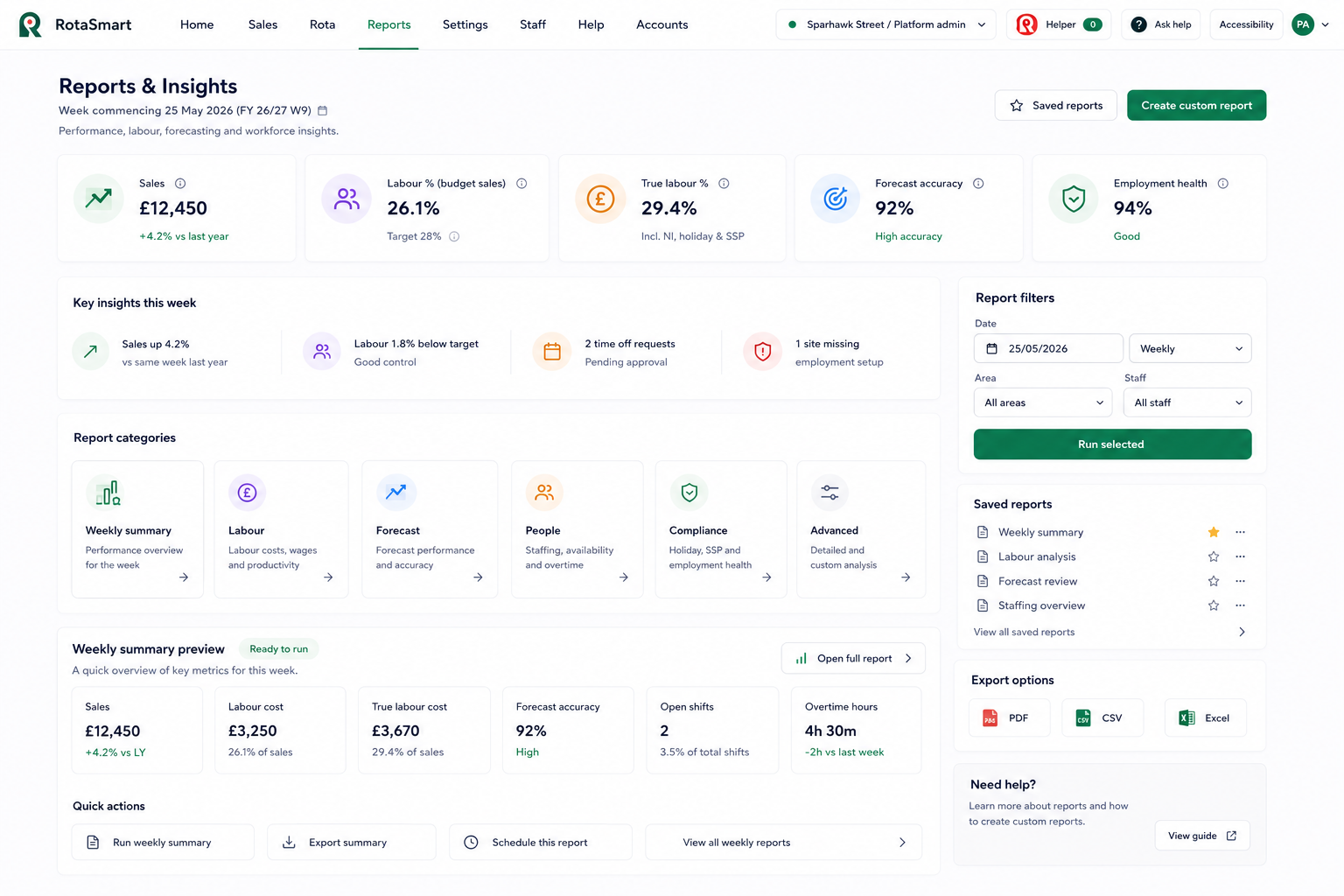
Plan, build and review in one flow

RotaSmart reports screen showing labour metrics, report categories, saved reports, filters, and export options
Review signed-off hours and labour reporting from the rota week

Reports, labour metrics, saved reports, filters, and export options stay ready when the week needs review.

What the payroll reports workflow replaces

Hospitality rotas change quickly, and managers need a simple way to connect trade, cover, cost, and people decisions before the week goes live.

Product checks built into the weekly flow

Rota cost reports
Review planned labour cost and wage percentage.
Variance checks
Compare planned and actual where attendance data is available.
Sign-off support
Manager review helps clean up payroll inputs.
Labour insight
See sales, forecast, labour efficiency, coverage, absence, and utilisation.

Where this workflow helps most

Pubs
Plan around weekends, events, food service, late closes, and quiet starts.
Bars
Keep late trading, peak cover, staff changes, and wage pressure in one view.
Cafes
Shape cover around breakfast, lunch, prep, close-down, and lighter trading periods.
Small groups
Keep rota planning consistent across sites without adding a heavy process.

How the workflow runs in RotaSmart

01
Plan the rota

Build with labour context in view.

02
Run the week

Capture changes, time off, swaps, and attendance.

03
Sign off

Review exceptions before payroll reporting.

04
Review labour reports

Cleaner reports support payroll and labour decisions.

Questions about payroll reports

What payroll reports are useful for hospitality?

Reports should connect rota cost, actual work, variance, and sign-off so managers can review pay inputs more clearly.

Does RotaSmart show wage percentage?

Yes. Wage percentage is shown during planning and in reporting context.

Can reports help next week's rota?

Yes. Labour and forecast reporting can show where the next plan needs review.

See this workflow against a live week

Bring a real week and review forecast, labour plan, rota cost, wage % and staff flow.

Forecast and demand view
Rota builder and wage percentage
RotaSmart Team staff flow
Book a demo