RotaSmart RotaSmart
The staff side of rota control

Let staff see their week, their pay, and their shift options clearly.

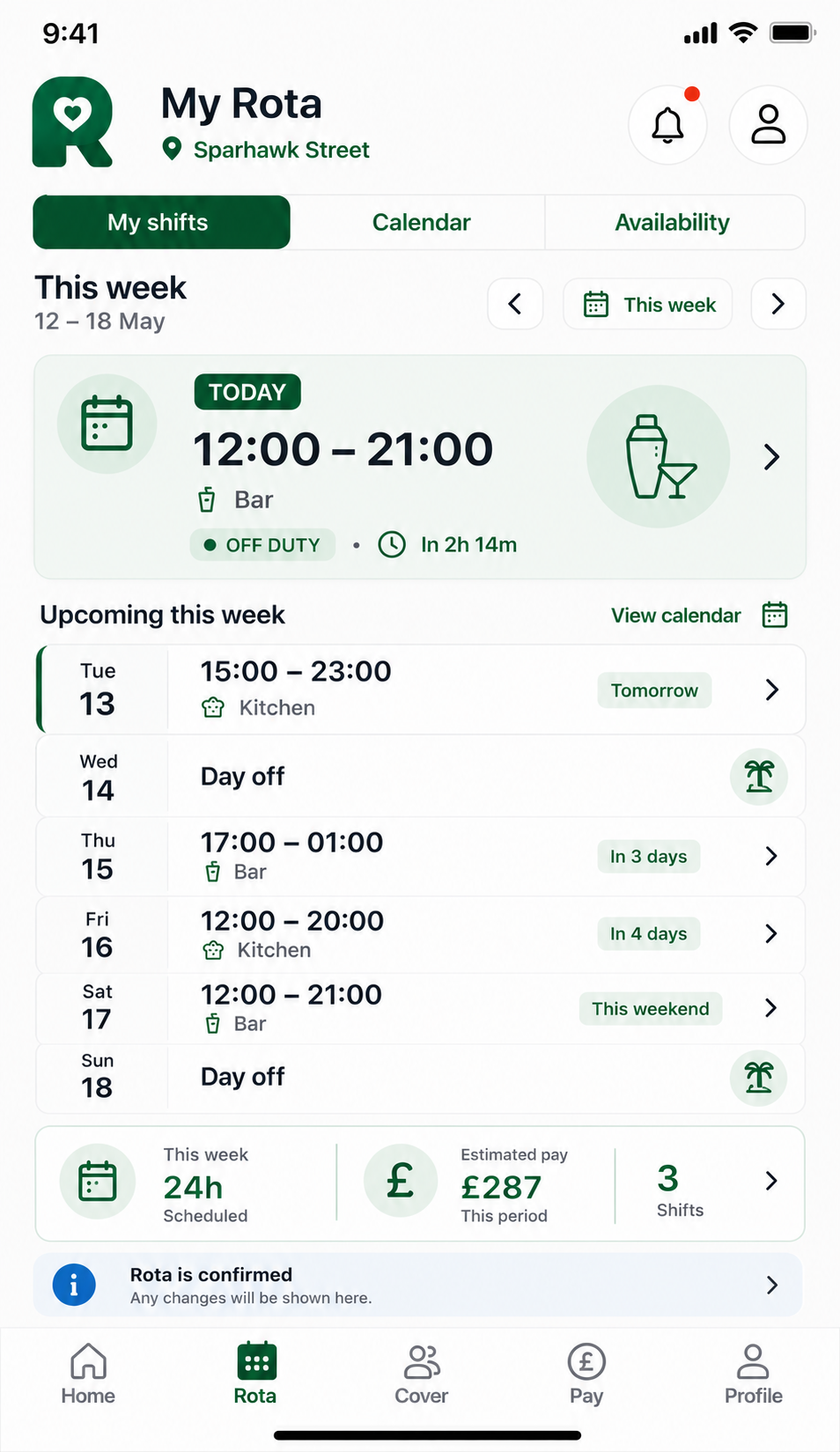
RotaSmart Team gives staff one place to check estimated gross pay, request time off, request availability changes, offer shifts, claim cover, and request swaps, while managers keep approval and rota control.

Open Team app
Estimated gross pay before sign-offShift offers and swaps with manager controlAvailability and time off tied to the rota
Estimated gross
Visible
Shift market
Controlled
Requests
Tracked
Staff week view
Staff week view
The useful staff view is not just the rota. It is pay context, shift options, and requests tied to the same week managers are controlling.
Estimated gross this week
£186.40
Based on scheduled paid hours and hourly rate.
Shift options
Offer or swap
A clear route when a shift no longer works.
Open shifts
Claim cover
Staff can pick up available shifts where allowed.
Requests
Tracked
Time off and availability changes stay in view for managers.
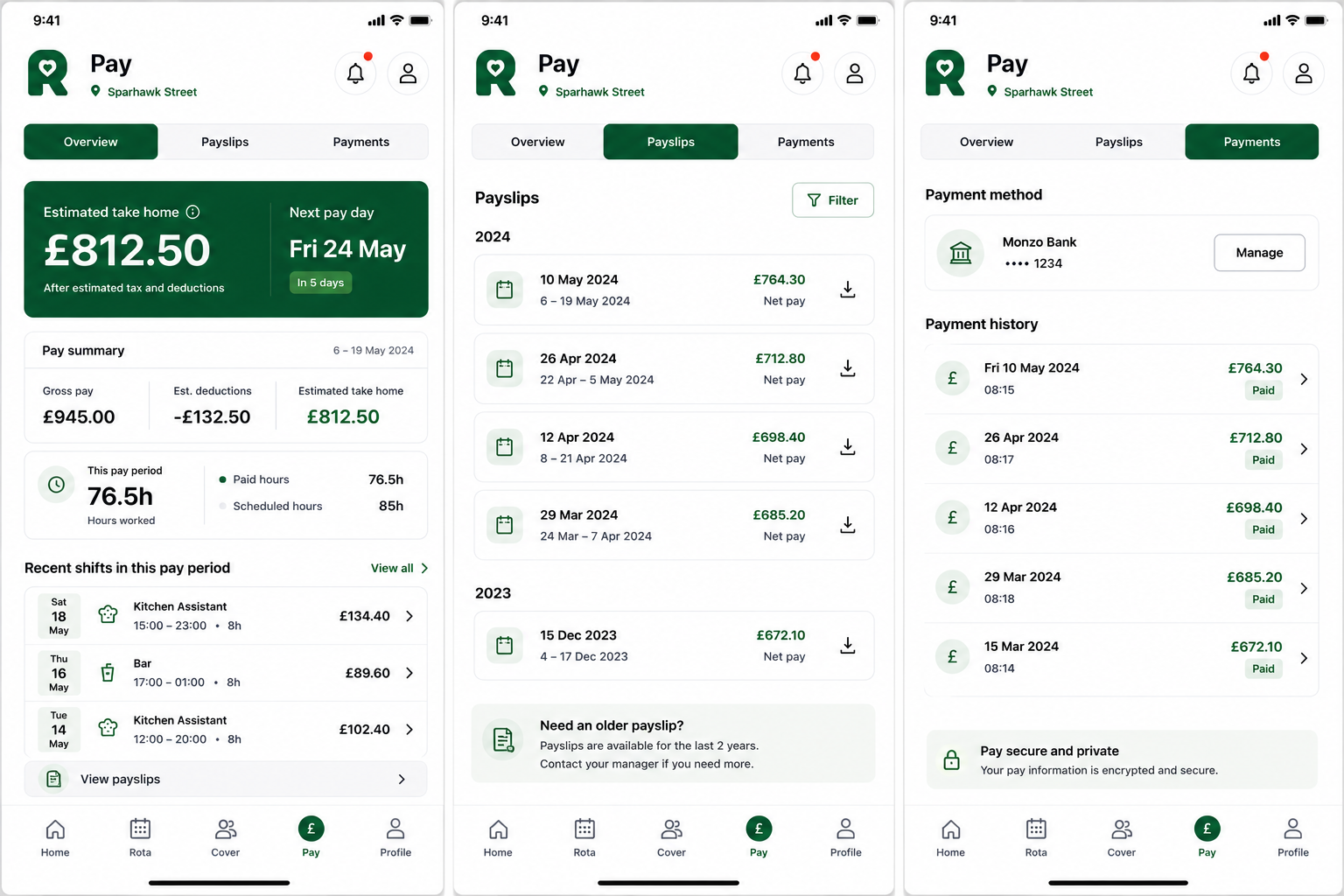
Staff can see what the rota means for estimated gross pay before payroll is final.
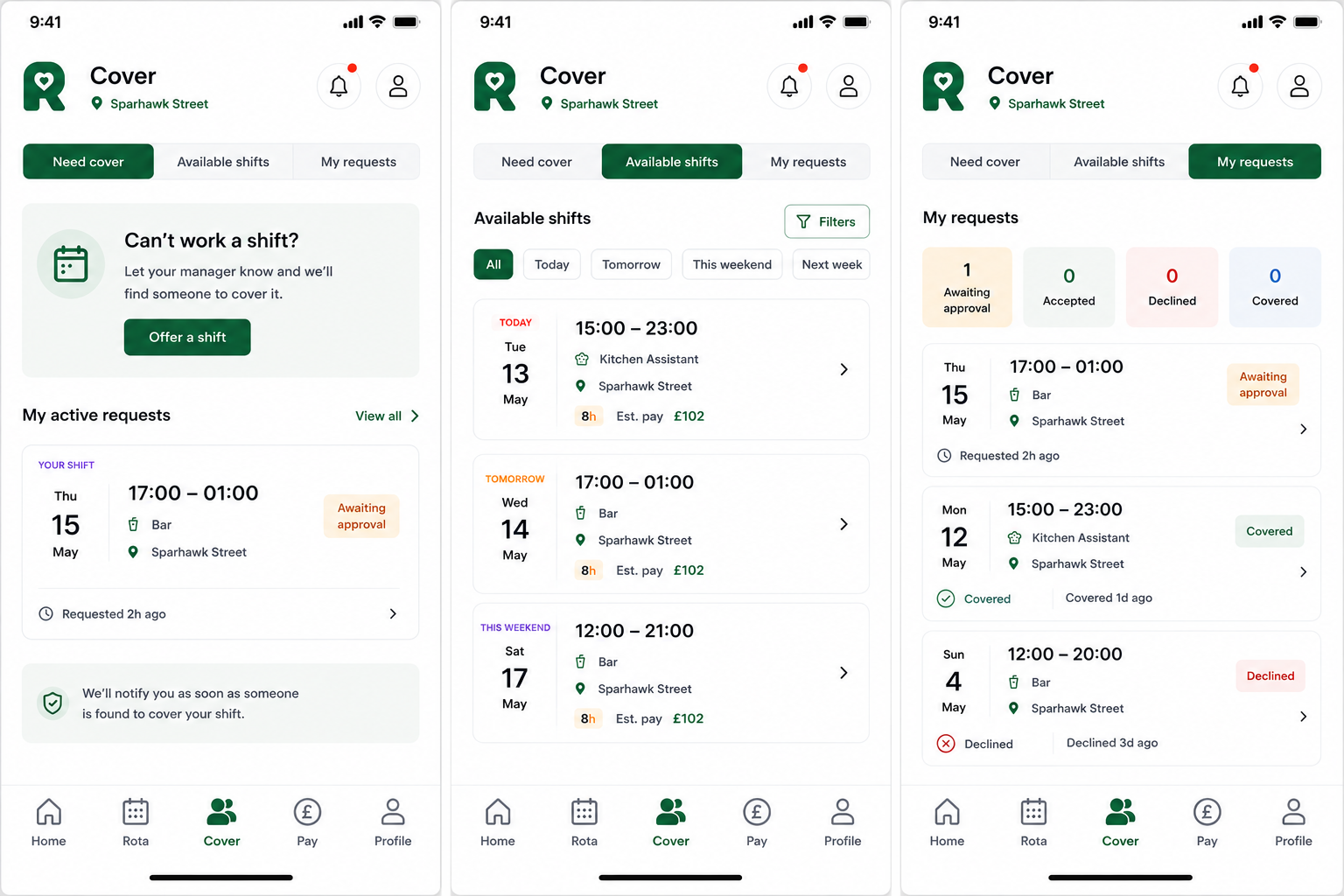
Staff can offer shifts, claim available cover, or request swaps without starting another message chain.
If signal drops, staff can still see the latest rota that synced successfully. Actions still need an internet connection.

Give staff better options before the rota becomes a message chain

Before the week
Estimated gross pay
Staff can see what the rota means for expected gross pay before payroll is final.
When a shift no longer works
Offer or swap
Staff can start the right request instead of sending another message.
When cover is needed
Claim open shifts
Available shifts can be picked up through the shift board where managers allow it.
When plans change
Manager control
Approvals, published changes, and rota control stay with managers.
Manager approval remains in place

Manager control and staff clarity

Staff

Submit the request

Availability, time off, offers, swaps, or clock actions start from the staff side.

Manager

Review the impact

The rota owner keeps approval and sees how the request affects cover.

Rota

Update the week

Approved changes stay connected to the published rota.

Team

See the outcome

Staff get a clearer route than sending another message.

Why this reduces rota rewrites

Visibility

Requests are easier to find

Managers review one workflow instead of chasing separate notes.

Timing

Gaps appear earlier

Availability and time off can be checked before key shifts are built.

Control

Approvals remain clear

Staff can act, but managers keep final rota control.
The staff and manager view together

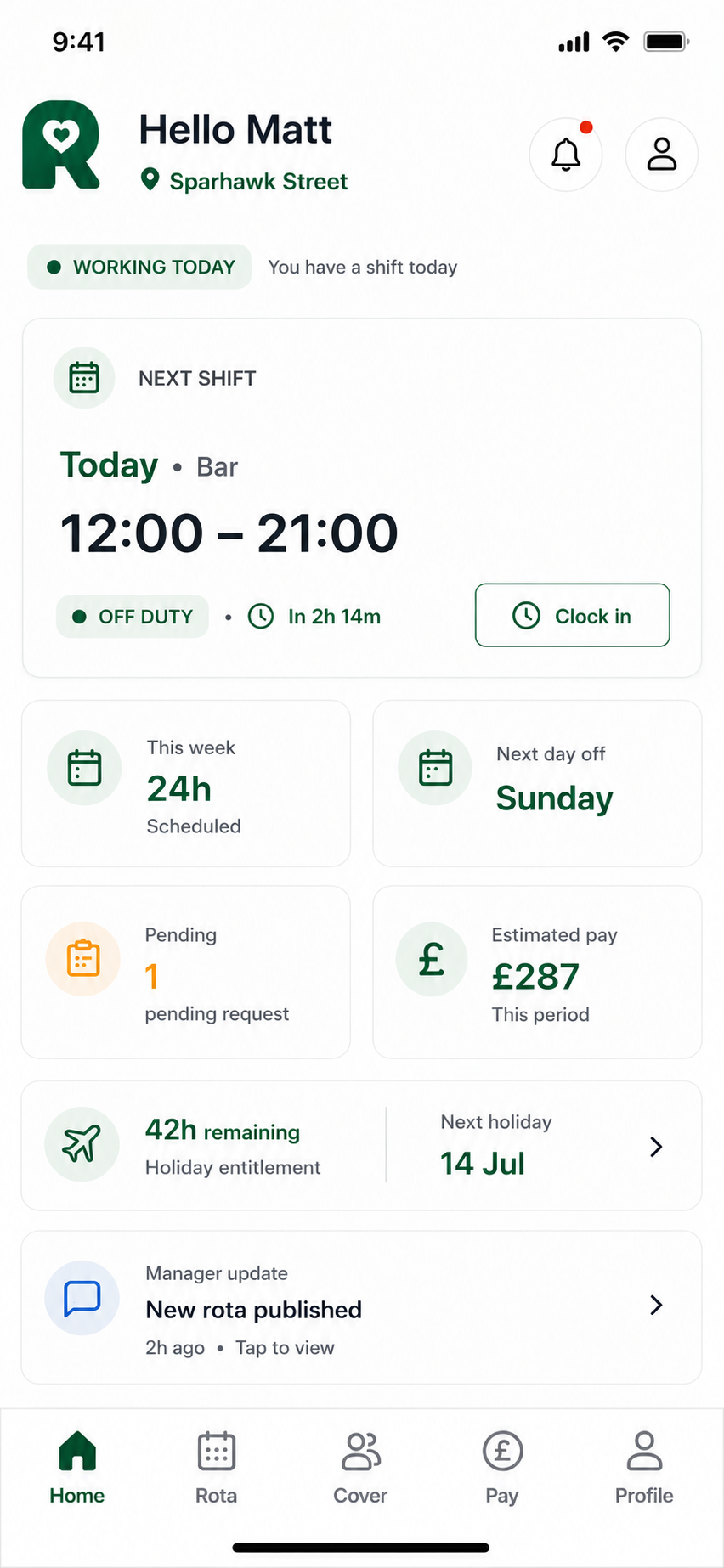
RotaSmart Team phone mockup showing estimated gross pay, next shift, shift offers, requests, and clock-in

Give staff a clear view of the week

Estimated gross pay, next shift, requests, swaps, and clock-in are shown in a focused staff view.

Why the staff side matters to rota control

What usually creates friction

The rota is published, then the same questions start. What will I earn, can I swap, where did my holiday request go, and who can cover this open shift?

  • Pay questions based on guessed hours
  • Holiday and availability requests spread across messages
  • Shift swaps and offers needing manager chasing
  • Open cover handled through manual messages

What better staff access looks like

Staff can handle the first step properly while managers keep control of approvals, rota changes, and published cover.

  • Estimated gross pay shown against scheduled shifts
  • Requests saved against the same week
  • Offers, swaps, open shifts, and clock-in in one place
  • Published rota updates easier to surface to staff

The features that make Team useful

Estimated gross pay
Show estimated gross pay from scheduled paid hours and hourly rate, before tax, NI, pension, deductions, and final sign-off.
Shift market
Staff can offer shifts, claim available cover, or request swaps without every change starting as a manager message.
Availability
Staff can request availability changes, while managers review and approve what should affect rota planning.
Time off
Holiday requests show dates, status, and decision history in one place.
Clock-in
When clocking is switched on, staff can clock in/out and record breaks from the same app.
Rota updates
Published rota changes and holiday decisions can be surfaced through alerts.

Estimated gross pay makes the rota easier to understand

Staff can see the estimated gross value of their scheduled week before payroll is final, which reduces guesswork and makes shift decisions easier to understand.

  • Based on scheduled paid hours
  • Uses the staff member's hourly rate
  • Clearly labelled before deductions and final sign-off
  • Visible alongside shift details

Manager control remains intact

Staff can request and propose changes, but rota control, approvals, and published cover remain in the manager app.

  • No offline edits in this phase
  • Availability changes are requests, not automatic changes
  • Push preferences are staff-controlled
  • Logout clears private cached rota data

Built for hospitality teams that change quickly

Pubs and bars
Shift changes, late closes, open cover, and swaps are easier to manage.
Food-led venues
Kitchen, floor, and bar staff can see shifts, pay context, and requests in one place.
Small groups
A consistent staff app experience across sites.
Flexible teams
Staff can offer, claim, or request swaps where managers allow it.

How Team fits into the rota week

01

Check the week

Staff see shifts, areas, and estimated gross pay.

02

Request changes

Time off and availability changes go through the right manager review route.

03

Open the shift market

Staff can offer, claim, or request swaps where the site allows it.

04

Clock in

When clocking is switched on, clock-in, clock-out, and breaks sit with the same staff view.

05

Keep up with updates

Published changes and holiday decisions can be surfaced through alerts.

Questions about RotaSmart Team

Is the pay shown final payroll pay?

No. It is estimated gross pay based on scheduled paid hours and hourly rate, before tax, NI, pension, deductions, and final shift sign-off.

Can staff swap shifts without manager control?

No. Staff can request, offer, claim, or swap through Team, but the manager keeps approval and final rota control.

How do availability requests work?

Staff can request availability changes. Managers review and approve what should affect rota planning.

Why does this help managers?

It gives staff a clear route for common rota questions, so managers spend less time collecting changes from messages and more time controlling the week.

Can staff still see their rota without signal?

Yes, they can see the latest successfully synced rota. Anything that changes the rota needs an internet connection.

Keep planning from here

See how RotaSmart Team works with the rota

We will show the manager rota and Team side by side, including estimated gross pay, shift market, time off, availability requests, clock-in, alerts, and manager approval flow. Introductory pricing is currently available for early customers.

Estimated gross pay from scheduled shifts
Shift offers, claims, and swaps
Manager approval flow
Back to homepage