 RotaSmart Team
Before
Separate notes
Managers juggle spreadsheets, messages, cost checks, and manual follow-up.

RotaSmart Team can support clock-in, clock-out, and breaks when clocking is switched on, keeping attendance activity close to the published rota.
Managers juggle spreadsheets, messages, cost checks, and manual follow-up.
RotaSmart keeps the action close to the rota week being managed.
Exceptions, staff changes, and labour context are easier to find.
The workflow feeds the next forecast, build, or sign-off decision.
The same shift facts do not need to be rebuilt in another place.
Managers can spot issues inside the weekly flow.
Approvals and changes stay tied to the rota instead of scattered across messages.
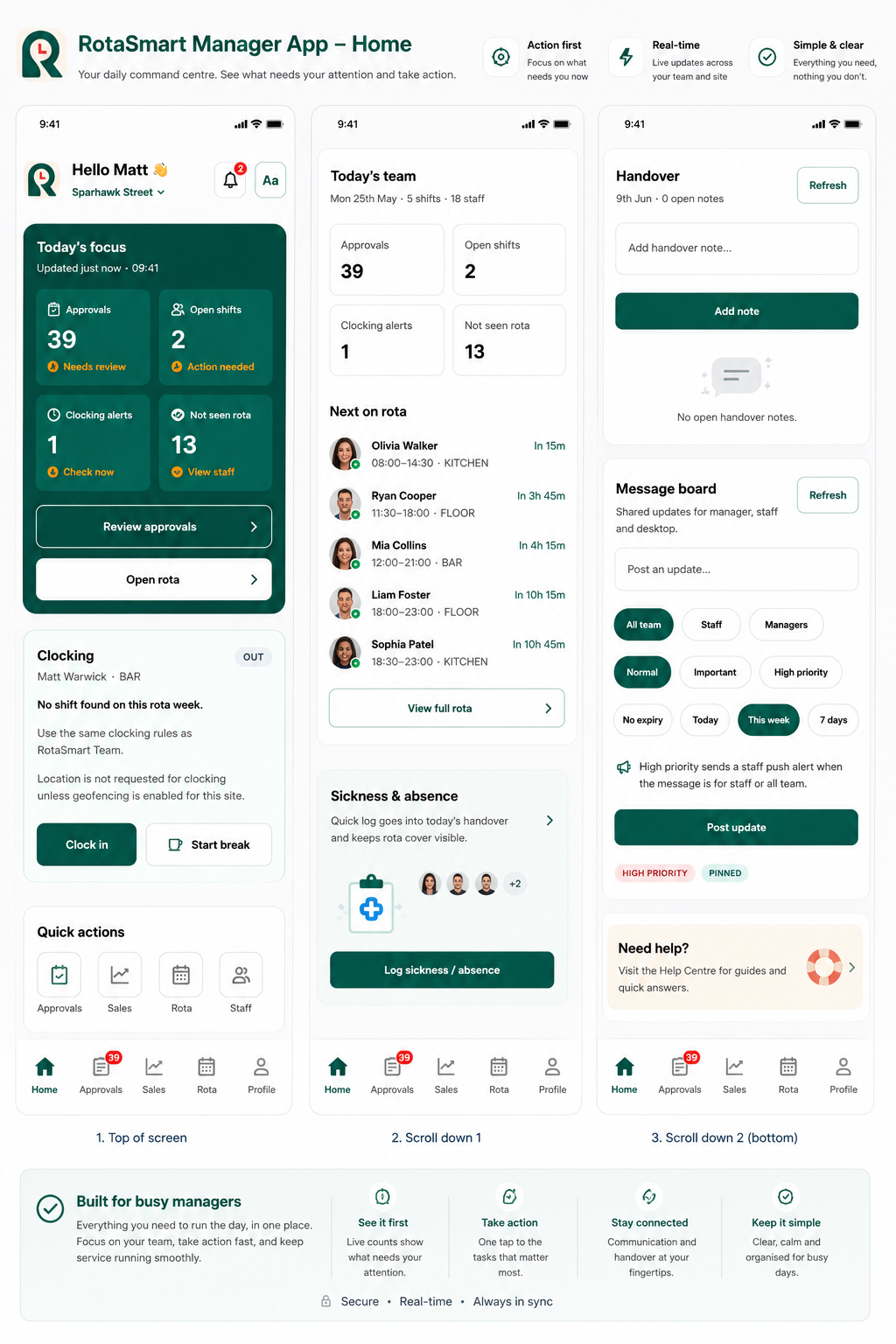
Managers can see today's focus, clocking, next on rota, handover, sickness, and message board actions from the mobile app.
Hospitality rotas change quickly, and managers need a simple way to connect trade, cover, cost, and people decisions before the week goes live.
The staff app shows the published work pattern.
Clock-in, clock-out, and breaks are captured when clocking is switched on.
Attendance data supports sign-off and variance checks.
Cleaner source data reduces manual fixes later.
Yes, where clocking is enabled for the site.
Yes. Break records can sit with attendance activity.
No. It supports the process, while managers still review and sign off where needed.
Bring a real week and review forecast, labour plan, rota cost, wage % and staff flow.